
Know which shipments are off track before your customer does.
NodeFox cross-checks each shipment event against the TMS, the WMS and what the customer was told. Shipments that agree move on. Gaps and delays reach the right person with the timeline assembled and a customer update ready for approval. Built on NodeFox’s executable workflow platform.
One workflow, 3 different cases.
Pick a case to see which steps run, what a reviewer is shown and what gets written.
Synthetic example · Shipment event or exception received
Shipment status check
Arrives
Shipment SH-90412 · Pinecrest Home Goods
- TMS status
- In transit · ETA Nov 18
- WMS
- Shipped Nov 14 · 2 pallets
- Promised to customer
- Nov 18
- Last scan
- Reno, NV · Nov 16
Runs
Carrier status file, EDI export or exception email arrives.
APIs or exports: planned delivery, last scan, pick, pack and ship times.
The last promised date and any open questions, into a typed record.
Exact rules in code: systems agree on status, ETA inside the promised window, no gap in scans.
All three sources agree and the ETA is inside the promised window.
Each system’s status, the last scan and what the customer was promised, in order.
Approve a customer update, reship, or escalate to the carrier.
Status to the TMS; a customer update only after the ops lead approves it.
Which checks ran, what disagreed, who decided.
Your team starts from the timeline, not from four tabs. The customer only hears what a person approved.
Result
Written
Status confirmed
- TMS record confirmed, no exception opened
- No ops time used
- Checks attached to the run
Work coordinated: input gathering, system lookups, repeated checks and approved updates. Select a step to inspect its role.
Human-owned: process rules, exception judgment and authorization. Synthetic records and transitions; no model calls or live system writes.
Reconcile conflicting signals before sending an update.
The same work, with the checking done first.
- Today
Someone checks the TMS, the WMS and the inbox to work out what actually happened.
With NodeFoxEach event is cross-checked against all three when it arrives.
We measureTouches per exception
- Today
Exceptions surface when the customer calls.
With NodeFoxConflicts and missing scans are flagged before the promised date.
We measureExceptions caught before versus after the customer asks
- Today
Each investigation starts from a blank email.
With NodeFoxThe ops lead gets one timeline and three choices.
We measureResolution time per exception
- Today
Status in the systems drifts from what the customer was told.
With NodeFoxStatus and customer updates are written back together, after approval.
We measureStatus accuracy against an audited sample
Raw input → usable output
Investigate once. Carry the resolution across systems.
Dispatch receives the verified address and the unresolved shipment status together. The record preserves what still needs rescheduling instead of reporting a false delivery.
- Input 1
- Shipment SH-6401
- Input 2
- Carrier: delivery attempted
- Input 3
- Warehouse: address corrected
- Input 4
- Customer promise: Nov 8
SH-6401 · action required
- Address correction prepared
- Owner: dispatch desk
- Customer status: awaiting reschedule
Decision attached
Approve carrier correction request
Source references and configured checks accompany the result.
Inspect the structured record
{
  "shipment_id": "SH-6401",
  "address_verified": true,
  "delivered": false,
  "status": "awaiting_reschedule"
}Synthetic sample files with inputs, checks and decisions. System updates require configured access and authorization. Documents and reports depend on the chosen Writer format and template.
Investigate once. Carry the resolution across systems.
Transcript and demonstration details
Illustrative execution, not a customer deployment. Narration is AI-generated. Actions and outputs depend on workflow configuration.
- 0–9s · Two updates. One unresolved shipment.
The carrier reports a delivery attempt. The warehouse has a newer address correction. The customer still needs a reliable status.
Shipment SH-6401 · Carrier: delivery attempted · Warehouse: address corrected · Customer promise: Nov 8
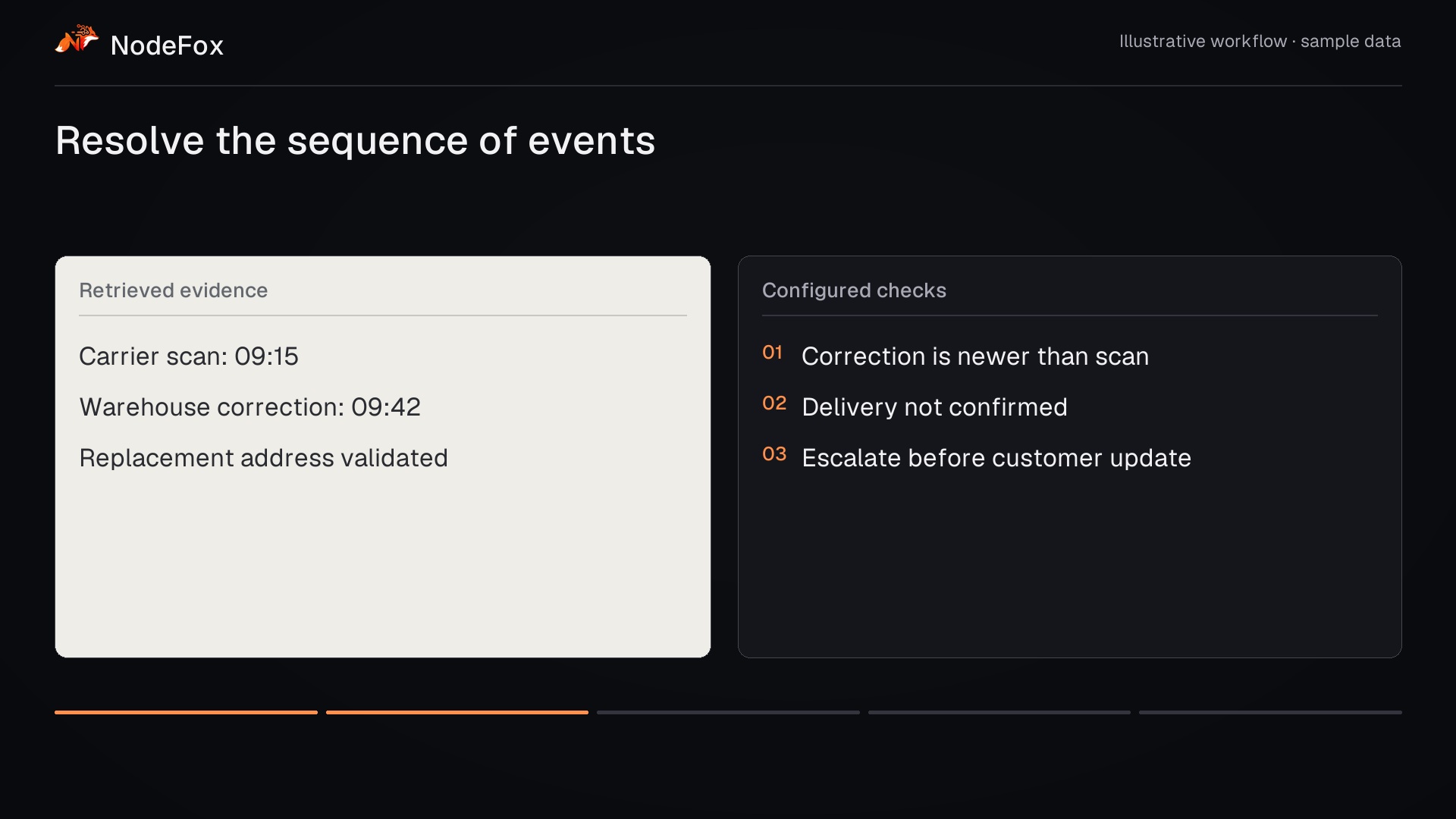
- 9–17s · Resolve the sequence of events
The workflow compares timestamps and reference records. A newer correction does not mean delivery has completed.
Correction is newer than scan · Delivery not confirmed · Escalate before customer update
- 17–25s · Route the conflict with its context
AI classifies the exception. Code checks event order, then the workflow asks dispatch to resolve the conflict.
Carrier events · Warehouse system · Customer service
- 25–33s · Authorize a correction—not a delivery claim
The dispatcher approves the carrier correction request and a revised status message. Delivery remains unconfirmed.
Dispatcher sees reconciled timeline · Approve carrier correction request · Approve revised status message
- 33–43s · A clear operational next step
The shipment record shows the correction, dispatch owner and awaiting-reschedule status. One investigation supports the downstream updates.
SH-6401 · action required · Address correction prepared · Owner: dispatch desk · Customer status: awaiting reschedule
What does a shipment investigation consume?
Editable hypothetical example · USD
What could less coordination be worth?
Change four assumptions to estimate annual capacity. These are example inputs, not customer results. Calculations stay in your browser.
- Annual capacity potentially released
- 1,733.3 hours
- Annual labor-capacity equivalent
- $69,333
- Reduction in hands-on time
- 55.6%
10,400 cases / year × 10 minutes removed per case ÷ 60. Includes eligibility, exception effort and rework when entered.
Capacity is not automatically cash savings. Value depends on how the released time is used and what the workflow costs to operate.
Your systems stay the system of record.
- TMS — loads, carrier status, ETAsread + writeThrough its API or a scheduled export. Writes are limited to status fields and gated.
- WMS — pick, pack and ship recordsreadThrough its API or a scheduled export.
- Customer service inboxread + writeReads the thread through its API; sends only approved updates.
- Carrier status filesreadEDI exports or files dropped in a watched folder.
People keep the decisions that matter.
Customer operations rep
Ops lead
Process owner
Start with one customer or lane
Pick the account or lane with the most exceptions. We run its real (or anonymised) shipment events through the checks, measure against your current handling and decide on production from the results.
Status cross-checks across TMS, WMS and the customer thread
Exception timelines and the reviewer step
Read access to your systems, plus a gated write path once you approve it
A baseline-versus-pilot scorecard
- Resolution time
- From exception flagged to decision and customer update, by exception type.
- Touches per exception
- Separate lookups and messages needed to resolve one exception.
- Aged exceptions
- Open exceptions older than your threshold, by customer.
- SLA adherence
- Shipments delivered inside the promised window, and how many were flagged in time to act.
Questions operations leaders ask
Our TMS already raises exception alerts.
Every carrier reports status differently.
Will it message our customers on its own?
Who maintains the rules?
For the technical review.
Which exceptions take your team the longest to untangle?
Bring a shipment exception. We’ll discuss the status sources, investigation steps and decisions that would make it easier to resolve.